
How to make a document with processed variables, from an .odt file
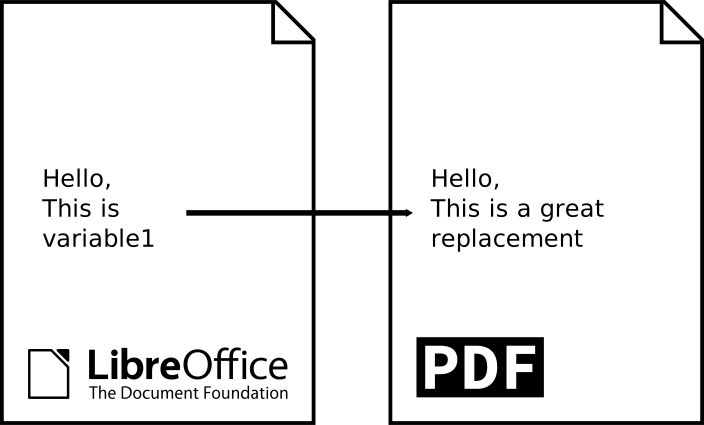
I recently have the need to generate documents where some text fields needed to be replaced with calculated content.
The final goal was to output a PDF file and I already knew how to do this with some Python libraries. But my main requirement was: the source document must stay editable by a standard user. This means that my LibreOffice Writer document had to be able to be modified in a very conventional way and it also had to be able to be used by my script to replace some text fields by calculated values.
The solution I picked (which has been suggested by colleague Corentin is based on a LibreOffice Writer document (cross-platform) and a shell script (in a Linux environment).
Creation of the model document containing variables
Let's start by creating the document we want in LibreOffice Writer. There are no constraints on the content or the layout. We just need to insert at the desired places some keywords (our variables) that we want to replace by a generated content. In my example I chose to insert VARIABLE1 and VARIABLE2 in my document.
It is a good idea to save the document in .ott (ODF Text Template) format to prevent the template document from being overwritten by an average user who has replaced the variables and used "Save" instead of "Save As".
Variables replacement script
In this shell script we will do four steps: 1. make a copy of the source document (so as not to modify our model document) 2. search for our variables and replace them with the desired values 3. export our document in PDF 4. delete the modified copy (the PDF is enough)
As a LibreOffice Writer file is a zip archive containing (among other things) an XML file describing the content of the document, it is necessary to extract this content.xml file before being able to replace the variables with sed. Then we need to update the archive with this new XML document.
#!/bin/sh

SOURCE_FILE_PATH="$1"
DESTINATION_DIRECTORY=`dirname "$SOURCE_FILE_PATH"`
MODIFIED_FILE_NAME="modified-file.odt"
DESTINATION_FILE_PATH="${DESTINATION_DIRECTORY}/${MODIFIED_FILE_NAME}"

# We will work with a copy of the source file
cp "$SOURCE_FILE_PATH" "${DESTINATION_FILE_PATH}"

# Extract content.xml from ODT file
cd "${DESTINATION_DIRECTORY}"
unzip -oq "${MODIFIED_FILE_NAME}" content.xml
# -o = overwrite without prompting, -q = quiet

# Replace variables
CUSTOM_VALUE="$(date)"
sed -e "s/VARIABLE1/something/g" \
    -e "s/VARIABLE2/${CUSTOM_VALUE}/g" \
    -i content.xml # -i = in place

# Rebuild the ODT file with the modified content.xml
zip -q "${MODIFIED_FILE_NAME}" content.xml # -q = quiet

# Export to PDF
libreoffice --headless --convert-to pdf "${MODIFIED_FILE_NAME}"

# Remove the modified versions of the source file and content.xml
rm content.xml
rm "${DESTINATION_FILE_PATH}"
The script, which we can name great-replacement.sh, is used as follow:
> great-replacement.sh path/to/my/file.ott
Variables that are replaced can leverage the power of the shell to do all the required calculations (call an API, read a database, use Python scripts, …)
Alternatives
- A PHP module
- Make use of variables in LibreOffice Writer, but availables functions are very limited